There are multiple ways for a VRChat avatar to "spawn" or "place" an object into a VRChat world and have it stay there while you move around, etc.
1. Use a particle system
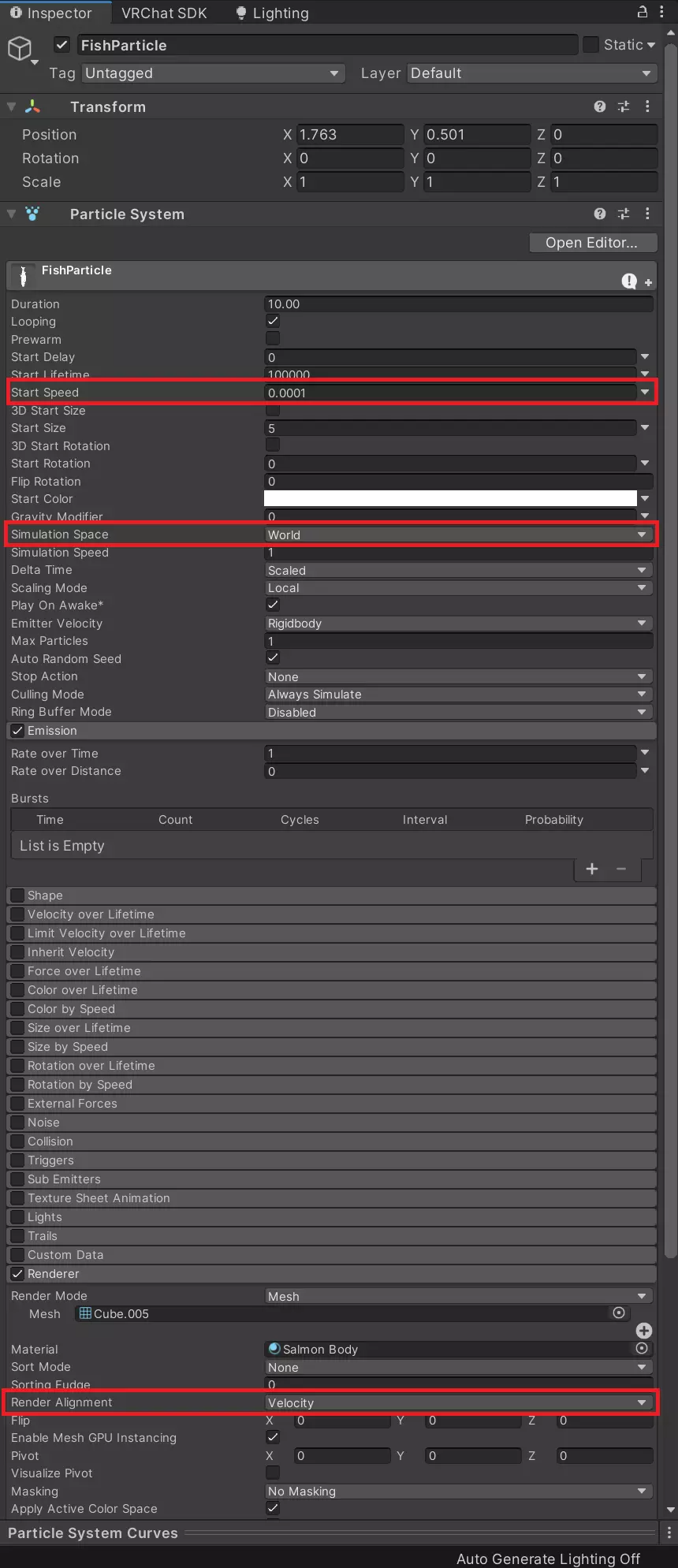
Add a "Particle System" component to a GameObject. Configure the component like the screenshot:
- "Simulation Space" to "World"
- "Start Speed" to "0.0001"
- Renderer - "Render Alignment" to "Velocity"
Then select a mesh as the Renderer (note you are limited to meshes with only 1 material slot).
This will make Unity render your particle once and have it stay there forever (or until you turn off the particle system with an animation).
Preview:
2. Use a "Configurable Joint"
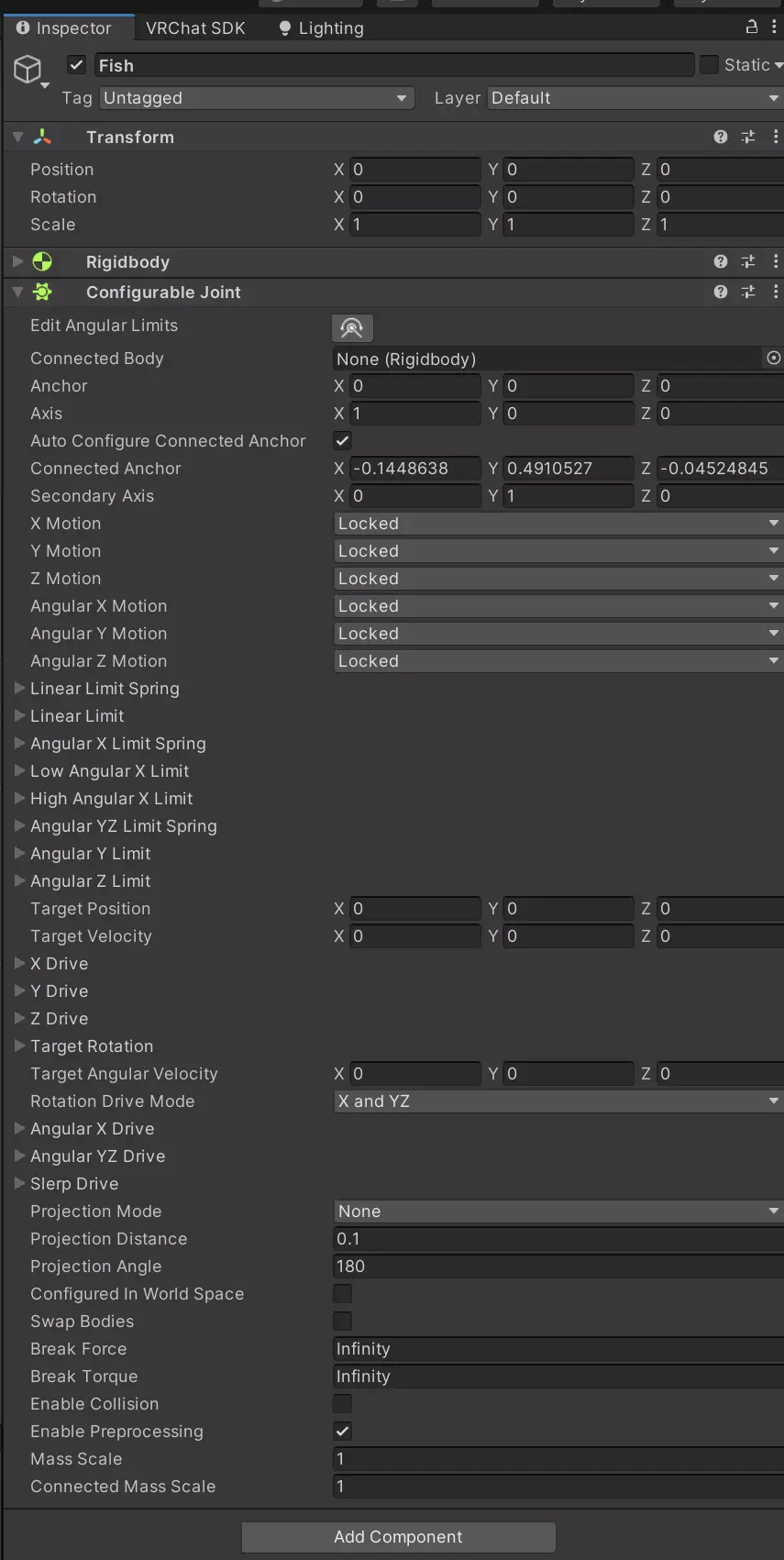
- Add a "Configurable Joint" component to the GameObject you want to "spawn".
- Set the X/Y/Z Motion and Angular X/Y/Z Motion to "Locked". This will tell Unity to have it lock in place while you move around.
You will probably want to hide the GameObject using an animation!
Preview:
3. Done
Toggle the GameObject for it to appear.
