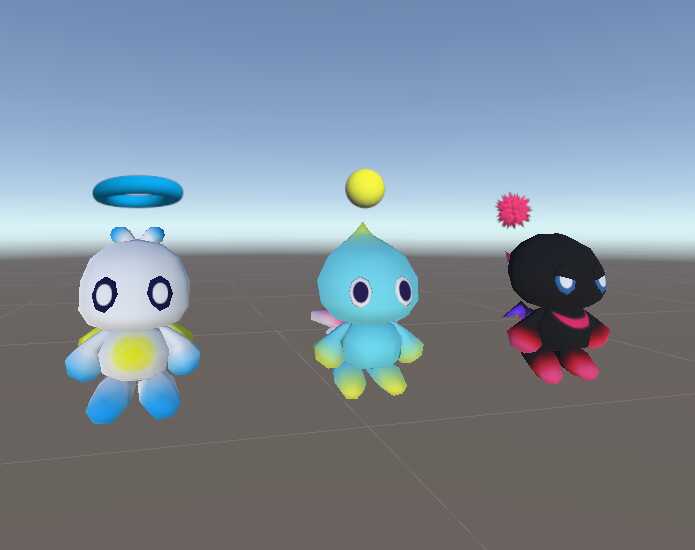
Chao Follower
Back to full item page
#1
A quick check that you are a person keeps downloads free. Once it is done, the download button unlocks.
5 of 5 free downloads left today.
Sign up to get 100 downloads per day for free.
Want more like this?
Sign in to follow and get alerts
All downloads
2 files for this item
ago
File: c499b4c2b9c74034b85b2a54b533beae
Size: 479.9 KB
Type: unitypackage
3D Model
658 Polygons
5 Materials
40 Bones
3 PhysBones
1 Particles
61 KB Textures
Rig & mesh
Generic Rig
Dynamics
PhysBones
Unity Constraints
Content
Particle Systems
Animation Clips
Prefabs
Animator Controllers
Scenes
Realtime Lights
Textures
Shaders
Unity Standard
Models
Dark.dae
Hero.dae
Neutral.dae
Shaders used
Standard
Measured automatically from the uploaded package. Performance ranks are an estimate of VRChat's own rating.
How to install
- Open your project in the Unity version VRChat supports. The VRChat Creator Companion sets this up.
- Import the .unitypackage with Assets, Import Package, Custom Package.
- Find the imported prefab or scene in the Project window.
- Drag the prefab into your scene or onto your avatar, then Build & Test.