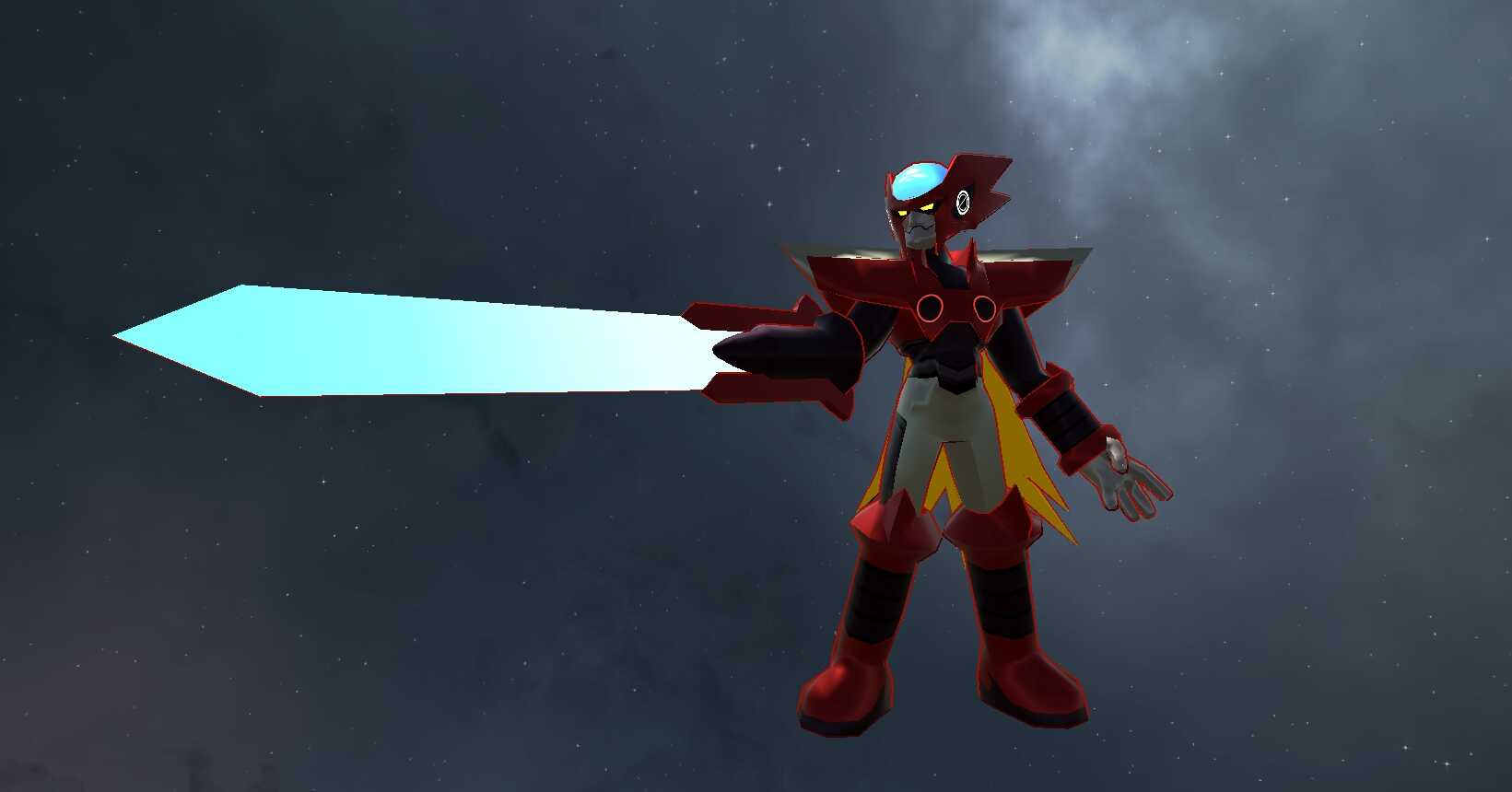
Mega Man Battle Network - Zero EXE (Full Body, Visemes, 1 Texture, Emmission, 4K polys, Dynamic Bones, Sword Toggle)
Back to full item page
#3
A quick check that you are a person keeps downloads free. Once it is done, the download button unlocks.
5 of 5 free downloads left today.
Sign up to get 100 downloads per day for free.
Want more like this?
Sign in to follow and get alerts
All downloads
5 files for this item
ago
File: 49130
Size: 496.4 KB
Type: unitypackage
Avatar
PC Poor
Quest No
4k Polygons
53 Bones
18 Blendshapes
1 Dynamic Bones
196 KB Textures
SDK
VRChat SDK3 Avatar
Avatar setup
Avatar Descriptor
Lip Sync (Visemes)
Expression Menu
Full Body Ready
Menu Toggles
Expression Parameters
Locomotion Layer
Custom Locomotion
Viewpoint set
Rig & mesh
Humanoid Rig
Viseme Blendshapes
Blendshapes
Dynamics
Dynamic Bones
Content
Animation Clips
Weapons
Animator Controllers
Scenes
Realtime Lights
C# Scripts
Textures
Shaders
Poiyomi
Cubed's
Platform
PC Only
Why it is not Quest compatible
- Realtime lights are removed on Quest
PC rank is limited by
- Realtime lights: 1 (Poor)
- Dynamic Bone components: 1 (Good)
Avatars in this package
Zero EXE (Open Me)
Poor
Models
Zero EXE.fbx
Measured automatically from the uploaded package. Performance ranks are an estimate of VRChat's own rating.
How to install
- Install the VRChat Creator Companion and create an avatar project. It picks the Unity version VRChat supports.
- Make sure the VRChat Avatars SDK is added to the project in the Creator Companion.
- Open the project in Unity and import the .unitypackage with Assets, Import Package, Custom Package.
- Open the included scene or drag the avatar prefab into your scene.
- Open VRChat SDK, Show Control Panel, sign in, then use Build & Test or upload.