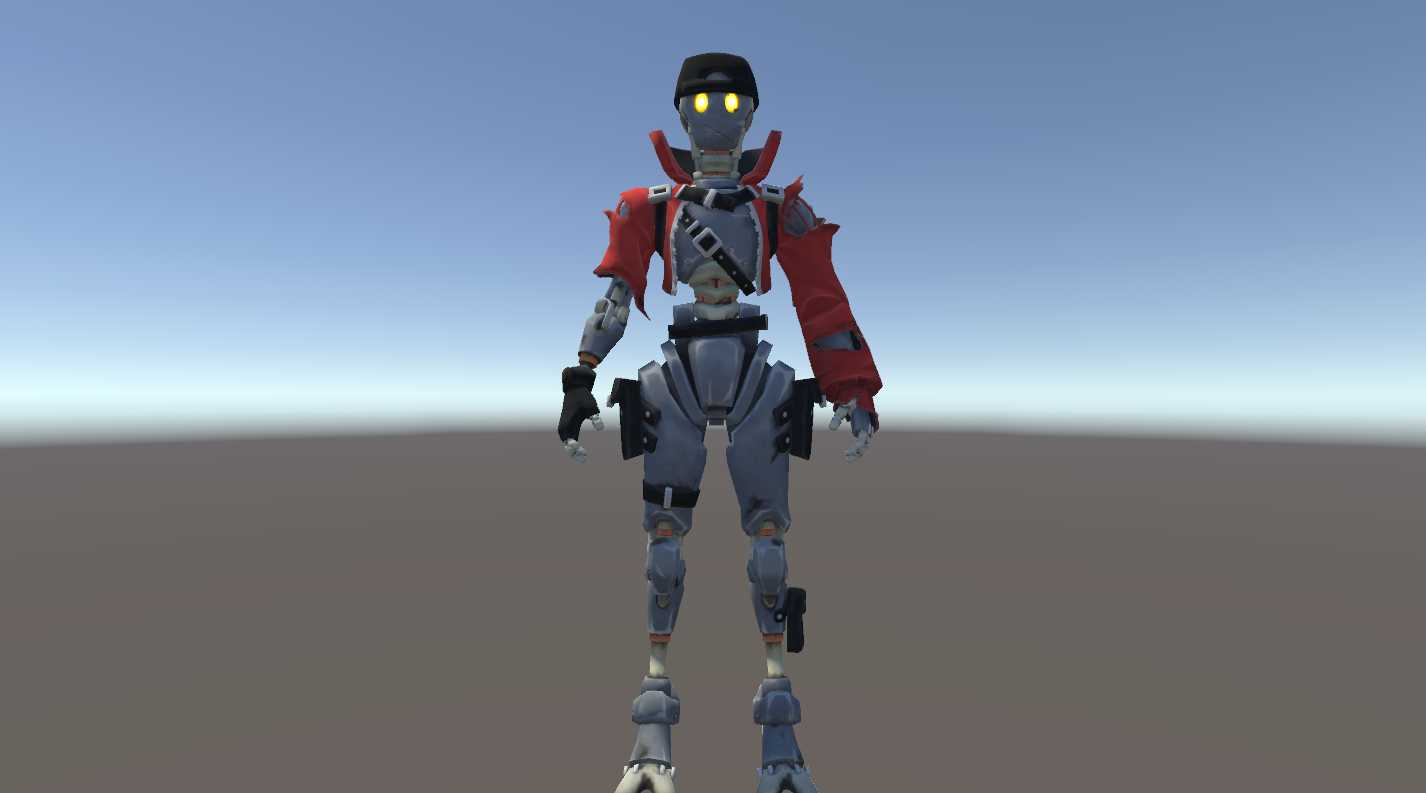
Fortnite Revolt
Back to full item page
#2
A quick check that you are a person keeps downloads free. Once it is done, the download button unlocks.
5 of 5 free downloads left today.
Sign up to get 100 downloads per day for free.
Want more like this?
Sign in to follow and get alerts
All downloads
3 files for this item
ago
Updated ago
File: 4586
Size: 6.2 MB
Type: unitypackage
Avatar
PC Poor
Quest No
22k Polygons
179 Bones
12.3 MB Textures
SDK
VRChat SDK2 Avatar
Avatar setup
Avatar Descriptor
Full Body Ready
Viewpoint set
Rig & mesh
Humanoid Rig
Content
Scenes
Realtime Lights
Textures
Shaders
Unity Standard
Platform
PC Only
Why it is not Quest compatible
- Polygons: 22,019 exceeds the 20,000 mobile limit
- Realtime lights are removed on Quest
PC rank is limited by
- Realtime lights: 1 (Poor)
- Bones: 179 (Medium)
Avatars in this package
Revolt
Poor
Models
Robot Trouble.FBX
Male_Fortnite.FBX
Shaders used
Standard
Measured automatically from the uploaded package. Performance ranks are an estimate of VRChat's own rating.
How to install
- Install the VRChat Creator Companion and create an avatar project. It picks the Unity version VRChat supports.
- Make sure the VRChat Avatars SDK is added to the project in the Creator Companion.
- Open the project in Unity and import the .unitypackage with Assets, Import Package, Custom Package.
- Open the included scene or drag the avatar prefab into your scene.
- Open VRChat SDK, Show Control Panel, sign in, then use Build & Test or upload.