Sign in to save and organize Download
How to install
  1. Open your project in the Unity version VRChat supports. The VRChat Creator Companion sets this up.
  2. Import the .unitypackage with Assets, Import Package, Custom Package.
  3. Find the imported prefab or scene in the Project window.
  4. Drag the prefab into your scene or onto your avatar, then Build & Test.

Description


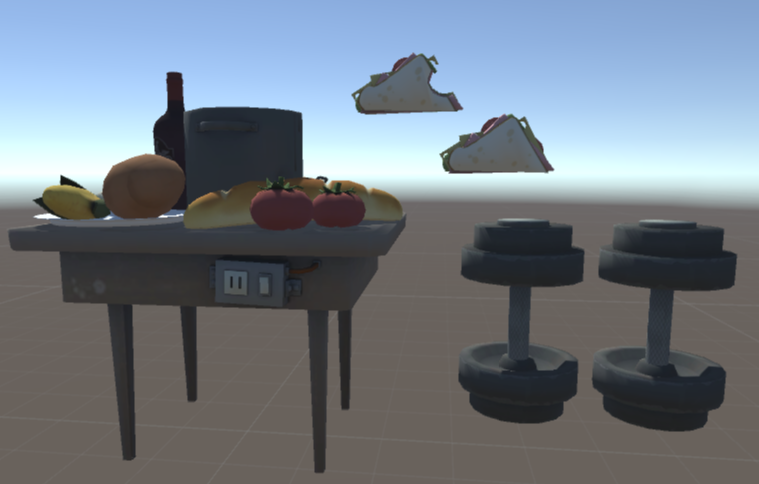
'Not all of them, but quite a few taunts and idles for Heavy (Team Fortress 2). There's also some props and sound effects in there, too.

There will be a problem with the fingers bending backwards on the left hand in some of these animations. All you really have to do is go into the animation and delete the property of the third bone for each finger on that hand. That'll straighten 'em out. Also, try to keep in mind that since these animations are Humanoid, certain props will require extra attention. So, if you want the food to fly off of the table for the Table Tantrum taunt, you'll have to animate that yourself. All of the bones for the props will be there, though.

https://i.gyazo.com/8f75563dc336d73fc5487c5998bd7483.mp4
https://i.gyazo.com/b79c838377a39880cc7aeb590d6e95a0.png
'

Comments
Log in to leave a comment.
DJToasterWaffle 1573442957 ago

do you think you could either teach me to get the animations or get the engies little default dance?

0
SourceLover 1560010850 ago

how do you add models

0
ClinicalDepression Author 1559839305 ago

you have to add them onto an audio source on your model, then add the audio source to the animation.

0
Tombo 1558369363 ago

can someone help me? how do you put the sound on the emotes?

0

File Tree

Loading file tree...

Related assets first, then wider exploration from your feed
Only related

Tutorials

Join the VRCMods creator network

Create a free account to skip ad checks, comment, save favorites, follow creators, and get notified about new uploads.